> For the complete documentation index, see [llms.txt](https://recconnect.gitbook.io/recconnect-tutorials/llms.txt). Markdown versions of documentation pages are available by appending `.md` to page URLs; this page is available as [Markdown](https://recconnect.gitbook.io/recconnect-tutorials/registrations/viewing-whos-registered.md).
# Viewing Who's Registered
Reviewing who's registered, their birth certificate, and any notes associated with the individual can quickly be accessed/audited from this view.
1\) Login to the RecConnect dashboard at: [https://admin.recconnect.io](https://my.recconnect.io/)
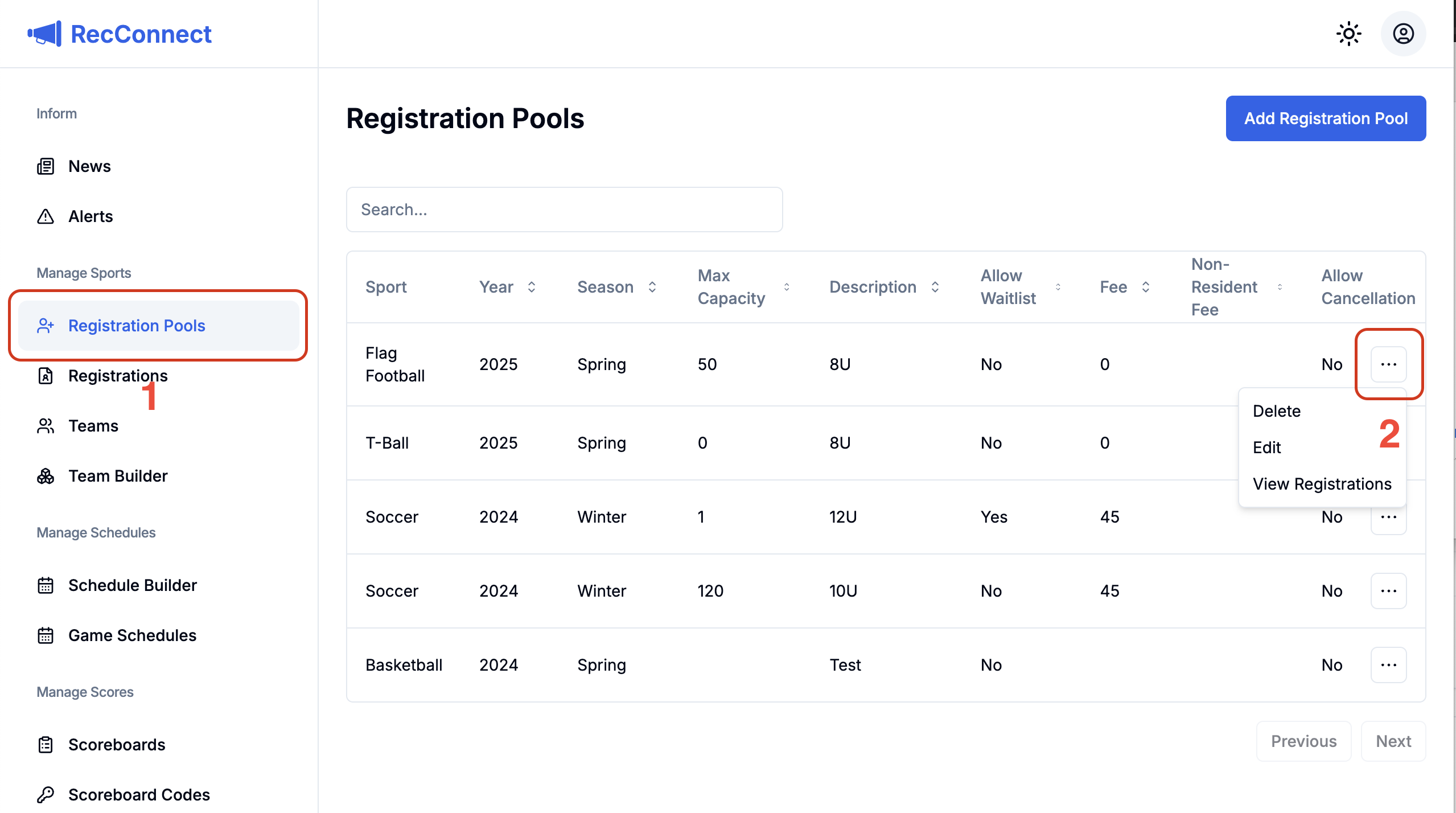
2\) Select Registration Pools in the left hand navigation
3\) Click the 3 dots quick action button and choose `View Registrations`.
4\) A new tab in your browser will open where you can see all registrants and their information. For additional convenience, you can quickly filter by registration pool on this screen as well.